Vite Vue 第三方登入

Vue Google 第三方登入

功能說明:第三方登入,按下Google登入按鈕,選擇Google登入的帳號
使用第三方Google登入 需要有一組 Google OAuth 使用的 Client ID, 你可以到 Google Console 新增一個「OAuth 2.0 用戶端 ID」
這邊提醒,在建立 OAuth Client ID 時,已授權的 JavaScript 來源,記得填寫上您的正式環境或開發環境的 Domain,且建議使用 HTTPS。
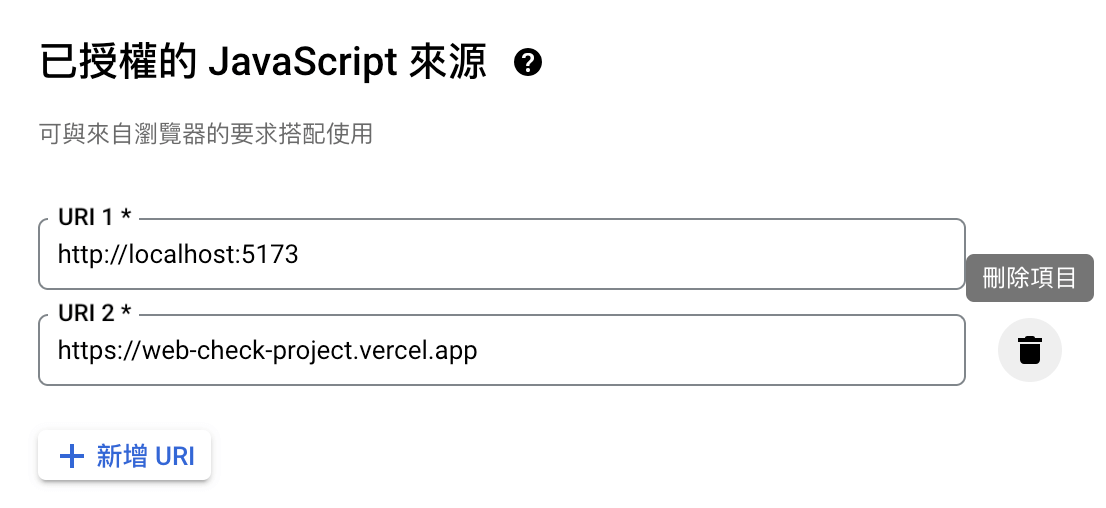
### 申請 Google 認證模式OAuth Google Console 畫面
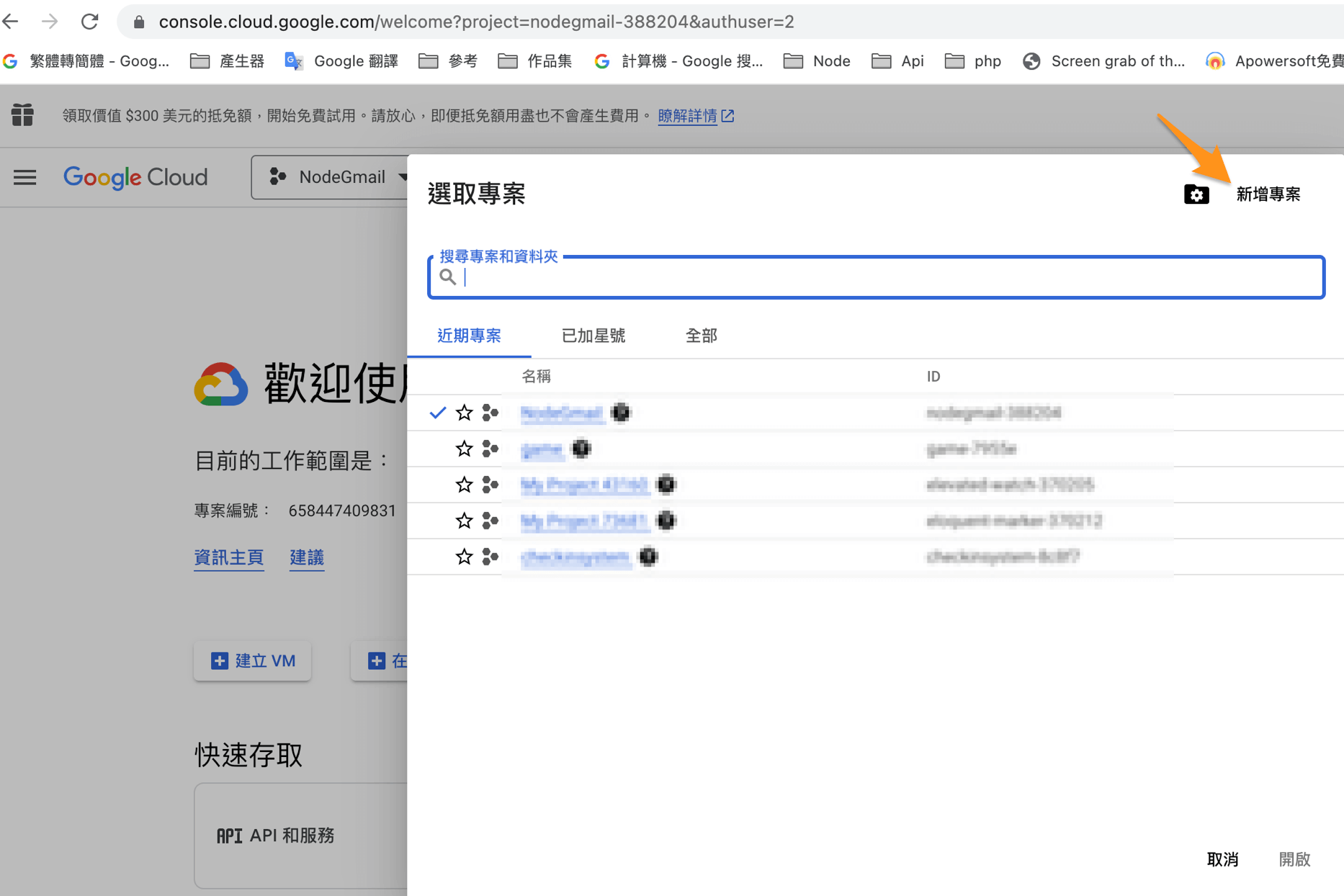
1. 建立一個新專案
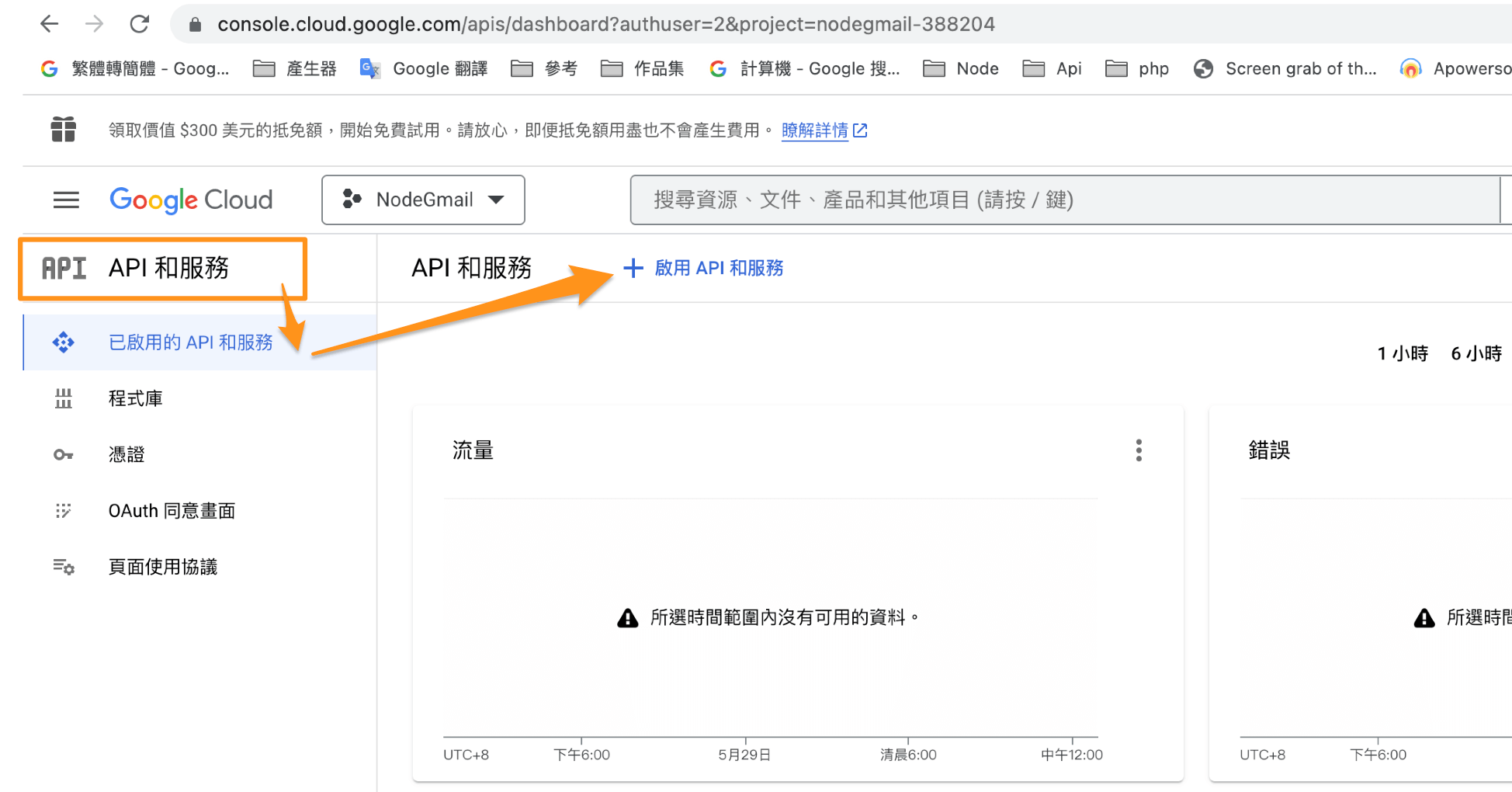
2. 啟用API服務
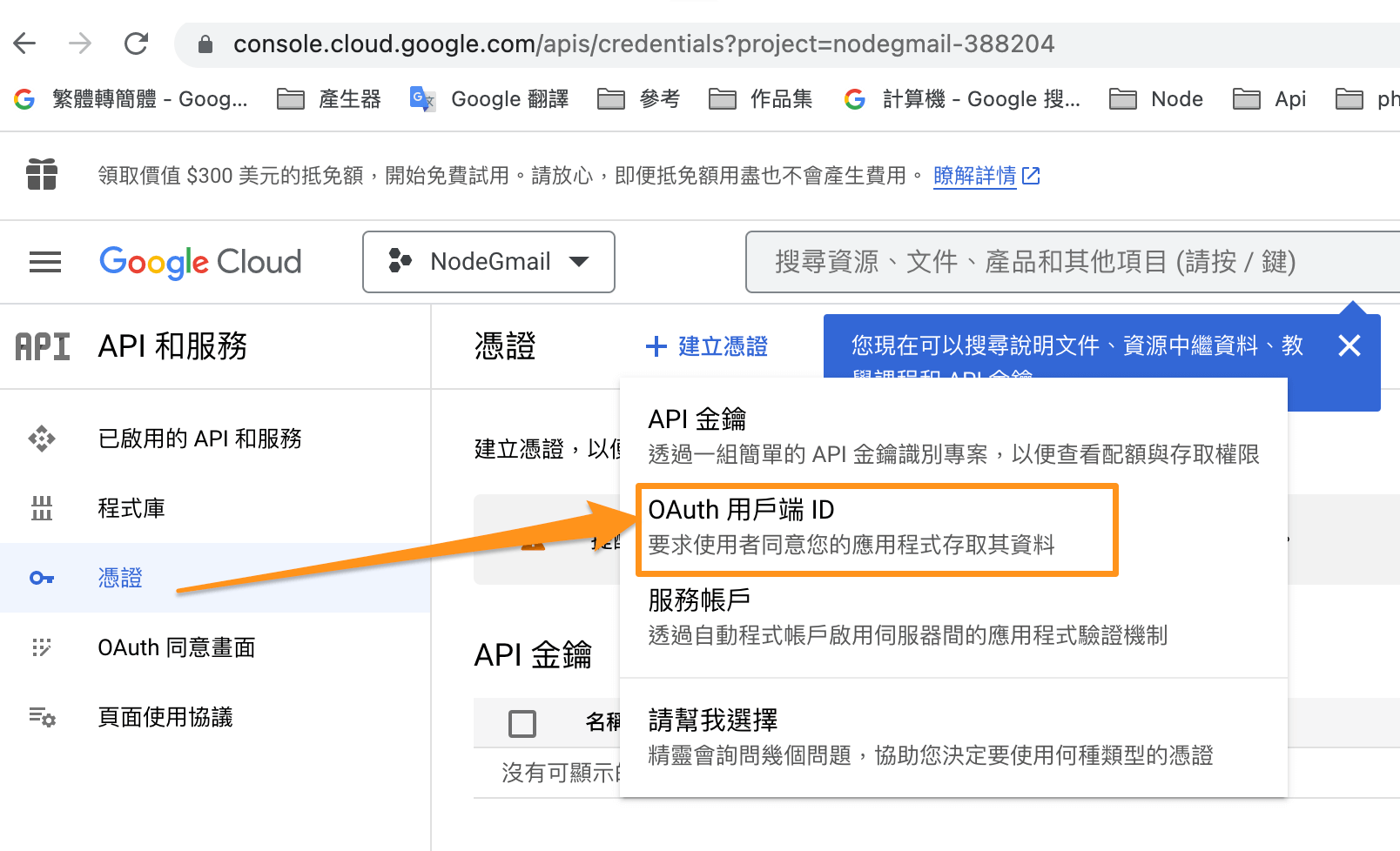
3. 建立憑證 => OAuth用戶端ID
4. OAuth用戶端ID
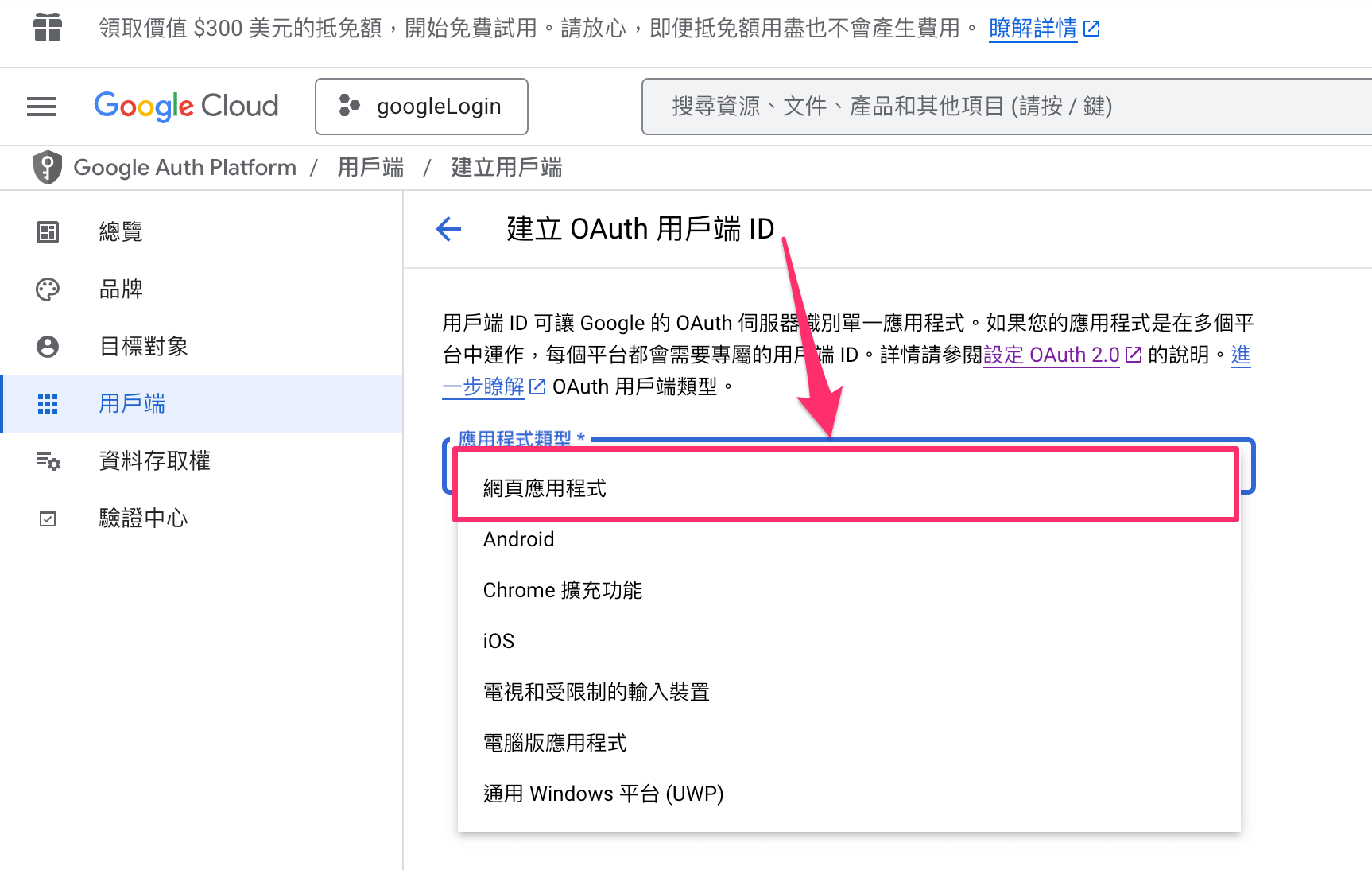
選取網頁應用程式
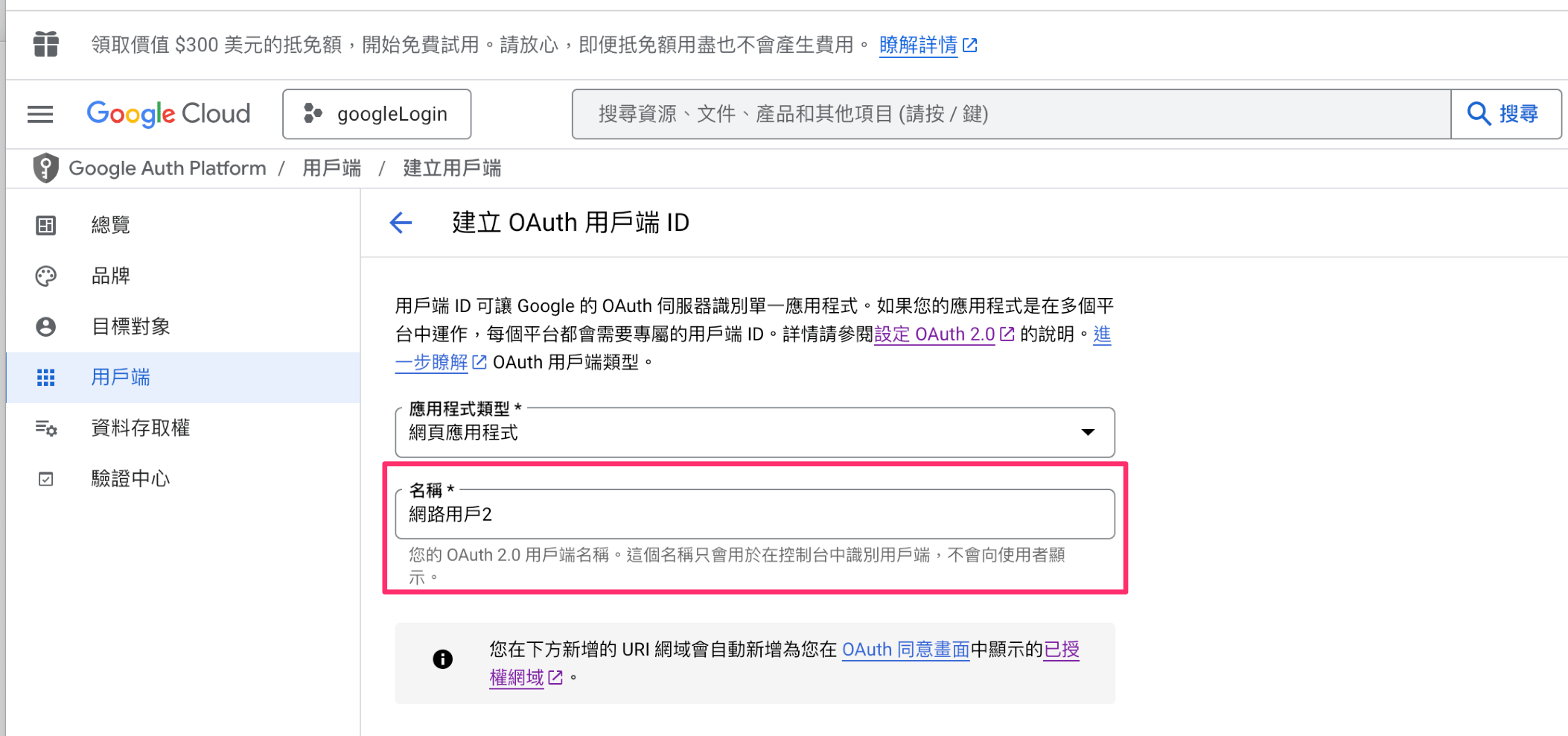
填寫名稱
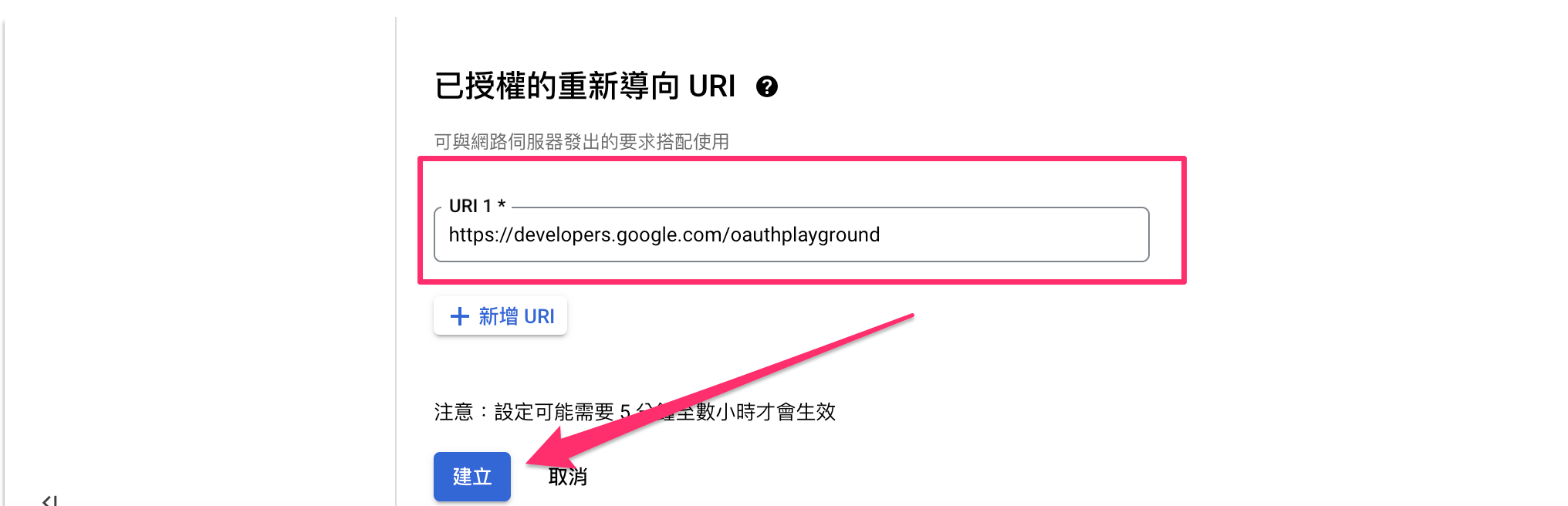
已授權重先導向 =>
https://developers.google.com/oauthplayground
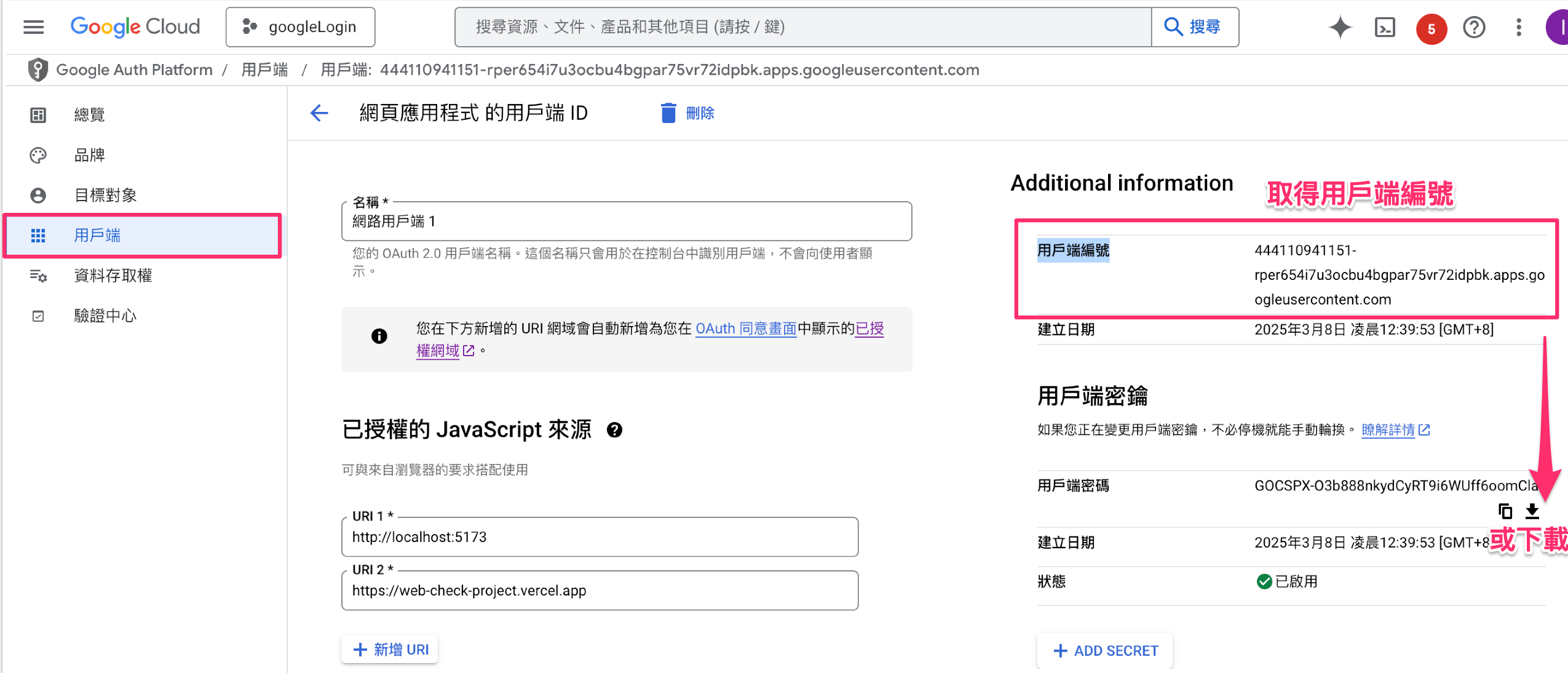
取得Google client_id 用戶端編號
安裝 vue3-google-login

官網參考資料
安裝指令

1
npm install vue3-google-login

到 進入點 main.ts引入vue3-google-login

1
2
3
4
5
6
7
8
9
import { createApp } from 'vue'
+ import vue3GoogleLogin from 'vue3-google-login'
+ const clientId= `${import.meta.env.VITE_GOOGLE_CLIENT_ID}`;
import App from './App.vue'
+ const GoogleLoginOptions = { clientId: clientId}

const app = createApp(App);
+app.use(vue3GoogleLogin,GoogleLoginOptions);
app.mount('#app')

頁面的使用

  • 引入 vue3-google-login 的 googleAuthCodeLogin, googleSdkLoaded
  • clientId 就是Google OAuth的 Client ID
  • ** googleSdkLoaded 內的 google.accounts.oauth2.initCodeClient 是 client_id: clientId.value,
  • scope: 'email profile openid https://www.googleapis.com/auth/userinfo.profile https://www.googleapis.com/auth/userinfo.email',
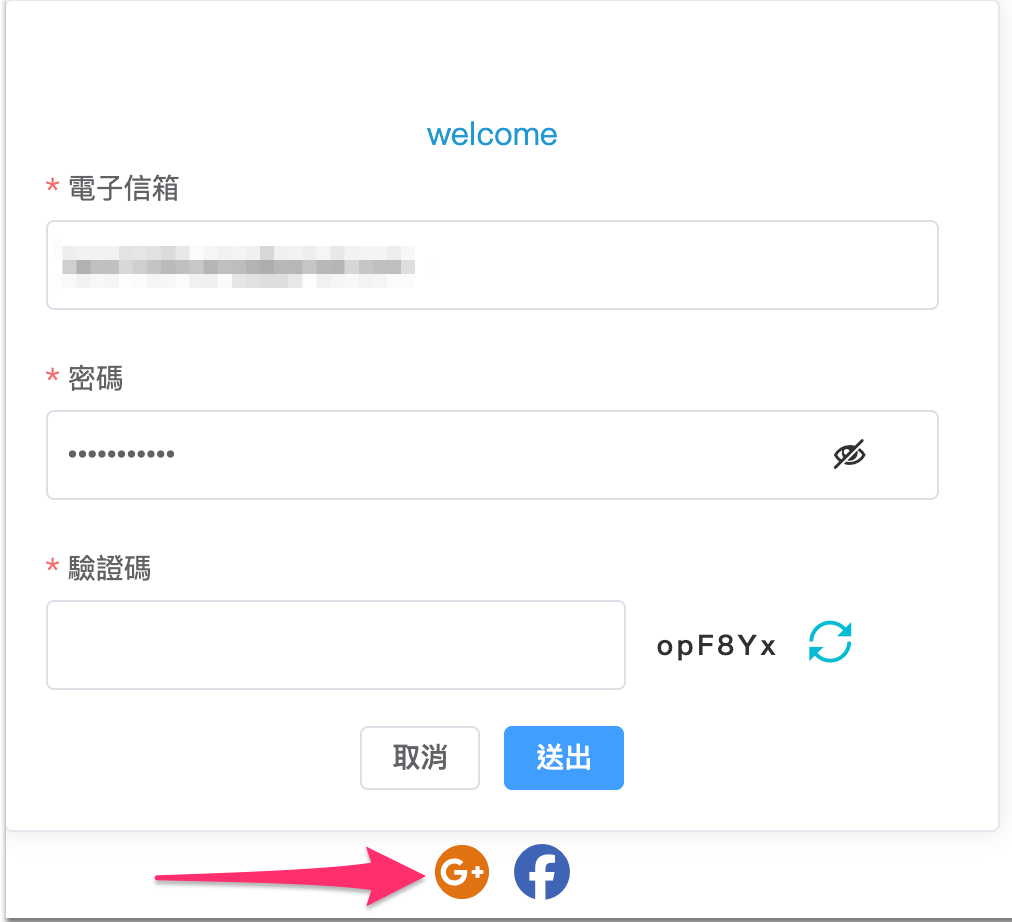
功能說明:第三方登入,按下Google登入按鈕,選擇Google登入的帳號
1. 按下登入按鈕
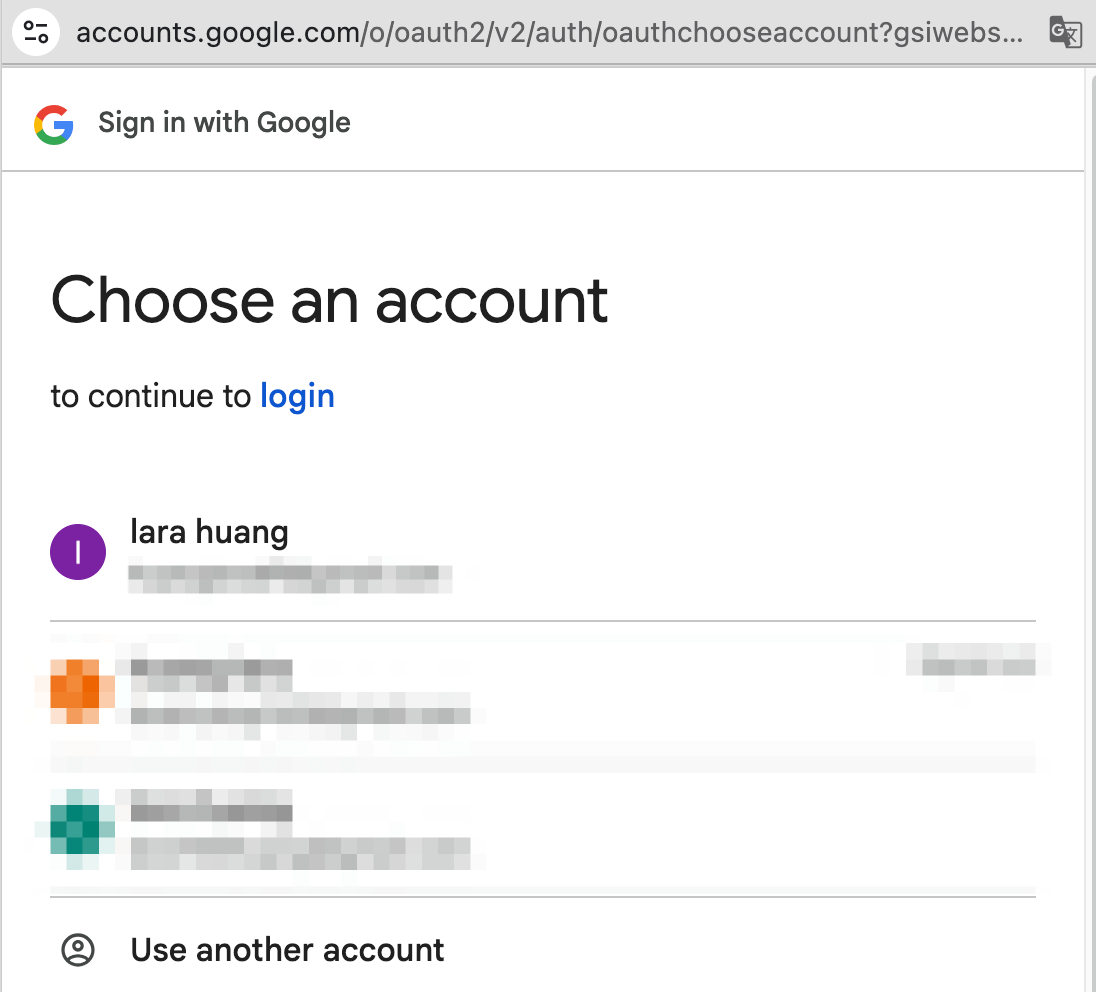
2. 選擇Google登入的帳號
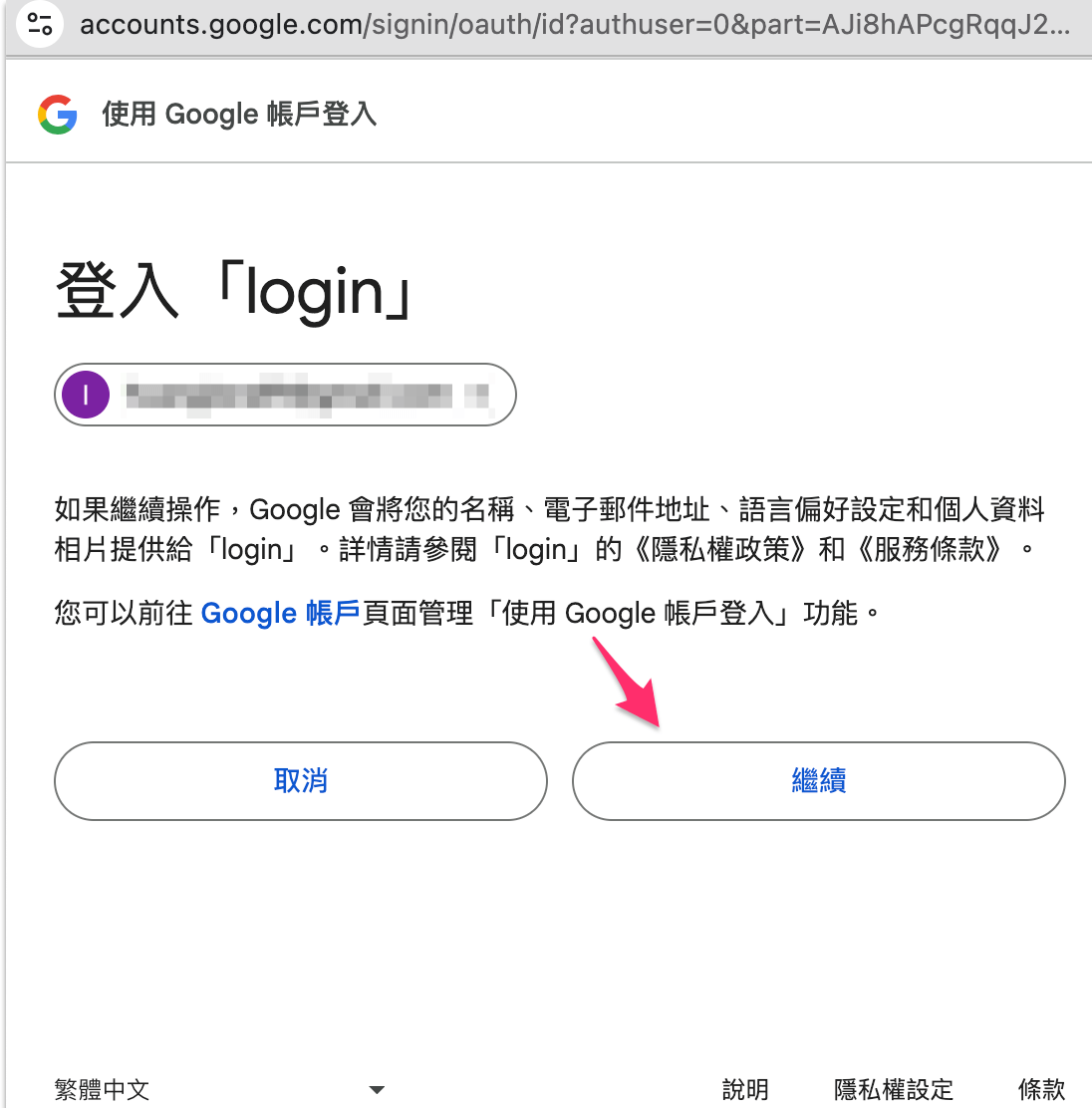
3. 如果如圖就是已經成功串接到 Google OAuth,按下繼續
1
2
3
4
5
6
7
8
9
10
11
12
13
14
15
16
17
18
19
20
21
22
23
24
25
26
27
28
29
30
31
32
<template>
<i @click="login" class="fa-brands fa-google-plus" :title="Google 登入"></i>
<i class="fa-brands fa-facebook"></i>
</template>

<route lang="yaml">
meta:
layout: frontLayout
</route>

<script setup lang="ts">
import { ref, onMounted, computed } from 'vue'
mport { googleAuthCodeLogin, googleSdkLoaded } from "vue3-google-login"

const clientId = ref<string>(`${import.meta.env.VITE_GOOGLE_CLIENT_ID}`)

const login = () => {
googleAuthCodeLogin().then((res) => {
console.log("Handle the res", res)
})
}
const loginS = () => {
googleSdkLoaded((google) => {
google.accounts.oauth2.initCodeClient({
client_id: clientId.value,
scope: 'email profile openid https://www.googleapis.com/auth/userinfo.profile https://www.googleapis.com/auth/userinfo.email',
callback: (res) => {
console.log("Handle the res", res)
}
}).requestCode()
})
}
參考資料